Loading...
Loading...
Loading...
Loading...
Loading...
Loading...
Loading...
Loading...
Loading...
Loading...
Loading...
Loading...
Loading...
Agent Bill Embedded Data Assistant is a solution that leverages Amazon Q in QuickSight embedded Q Bar for Registered Users.
Each FinOps Center Users is entered in the FinOps Center Users Pool then added as a QuickSight User with their Role.
User can ask any question around their spending aligned to the Financial Scope.
Users can Pin useful Question and Visuals for Ease of Use


Agent Bill is the embedded Data Assistant to FinOps Center that leverages Amazon Q in QuickSight.
To assist with the user experience, we recommended that Filter Null Values are created for the Service and Product Family Services within each Topics Data Configuration


Agent Bill Amazon Q for QuickSight For FinOps Center brings the power of Amazon Q to your FinOps Users.
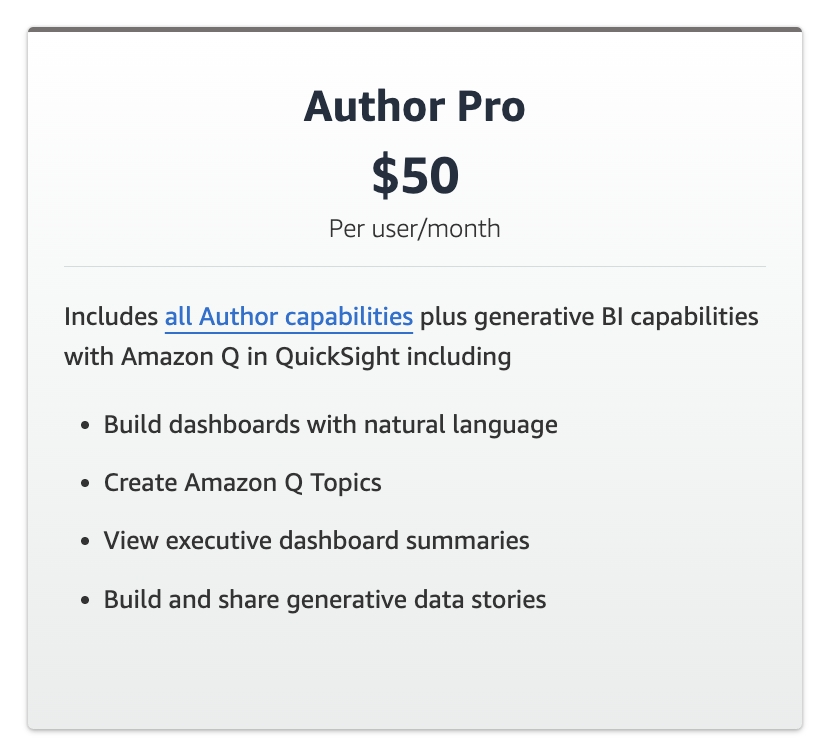
To be able to be installed, Customers need to have one of the FinOps Center versions installed, have FinOps Center Minimal Setup Complete (See Below), and have Amazon Q in QuickSiight enabled in there environment with at least 1 Author Pro Enabled with Embedding of your FinOps Center application configured.
FinOps Center Minimal Setup for the Amazon Q in QuickSight Framework:
One Product Owner Onboarded
One Budget Onboarded and Mapped to Product Owner
One AWS Account Mapped to Budget
One Workload Created to the Mapped AWS Account
One Resource Claimed to the Workload
All FinOps Center underlying compute (including Amazon Q in QuickSight) is the responsibility of Customers.
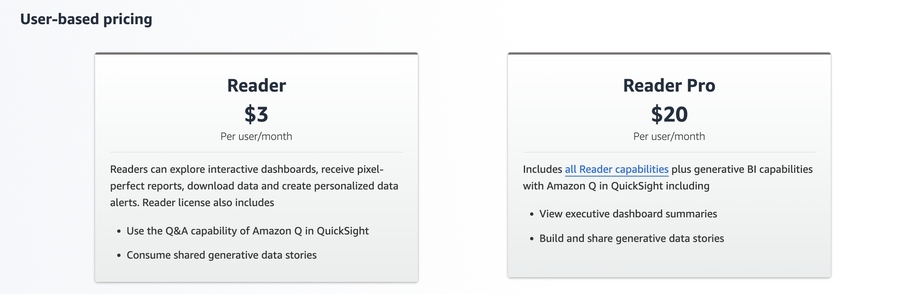
Pricing for Amazon Q in QuickSight - A $250/month per account Amazon Q enablement fee applies for accounts with at least one Pro user or with at least one Amazon Q Topic.
Click to Zoom Click to Zoom
To Install Agent Bill Amazon Q in QuickSight for FinOps Center customer must Add 1 Author Pro User to their QuickSight Environment.
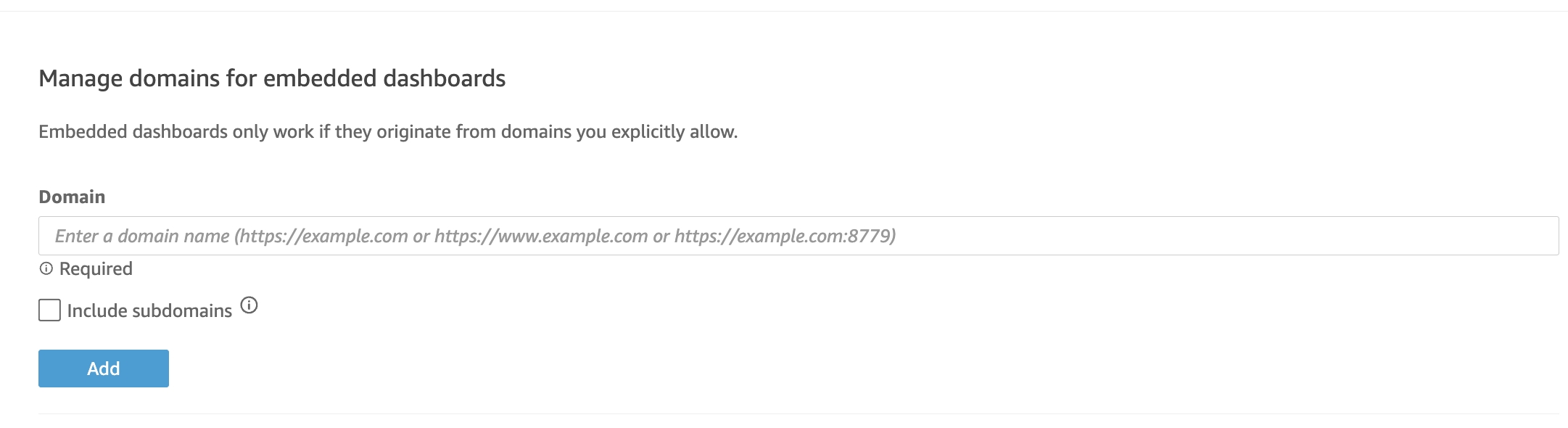
Embedding must be enabled with the url of the FinOps Center Application.
Upon considering to install the Amazon Q in QuickSight FinOps Center Framework please be aware of the following:
Lambda code hosted in your S3 buckets are not ingested nor scanned by AWS Marketplace. This creates an external dependency. Applications that require external dependencies on deployment must follow product usage policies which includes proper disclosure. In the Release Notes of each FinOps Center Release include the results of the AWS CodeGuru Scan.
FinOpsCenterQGlueCrawlerRole295A8956 : add a warning in your deployment guide, product access instructions, or clusters and resources long descriptions that customers should consider deploying into new AWS accounts because the permissions allow your application access to read, edit, and/or delete existing AWS resources in the AWS account.
Other IAM roles: The purpose of each of these resources must be included in the product description or usage instructions. IAM Roles are listed with purpose at
The Role * leverages the Glue Services Role that enables the solution to Access additional resources than the scope of Amazon Q in QuickSight FinOps Center. If this is an issue, consider deploying in stand alone AWS Account.
AWS Marketplace Scans the AMIs that Cloud Scal3 Provides but not the Code Artifacts that are used during the installation. Please view the results of our internal code scanning with AWS CodeGenius with the version Release Notes that you are installing.
To assist the Quick Sight Topic understand how business weeks are defined, each topics needs to have a Custom Instruction
Customer Instruction
Week are defined by sunday to saturday. the first week of each month starts the 1st of month to saturday 23:59. The last week of the month starts Sunday 00:01 to the last day of that month. Normal weeks are sunday to saturday.
When Forecasting only show the past 2 months and then the forecast for the selected time
Agent Bill Amazon QuickChat FinOps Center provide Curated Topics for the different Personas/Roles with FinOps Center by their Financial Scope.
Agent Bill provides both the framework to extract data from customer's FinOps Center application and integrates it with the AWS Cost and Usage Data.
Agent Bill for Amazon Q in Quicksight was built considering the challenge for Row Level Security. Each Role has their Athena Queries, QuickSight Datasets, and QuickSight Topics.
The Dataset are configured with User-based rules leveraging FinOps Center User table for Financial Scope. Users Scope is updated when the Dataset's SPICE is Refreshed.
Users see their Data in Scope of their Users Allocation of Accounts and Financial Budgets configured in FinOps Center.
In image below, FinOps Center users Products on the left are what are reflected in Embedded Amazon Q.
Agent Bill Amazon Q in QuickSight for FinOps Center is installed with currated Topics that can be customized to your organizational naming convention.
Each Topics need to be Modified to your Organization.
Additional Hints to provide the best expereince for your Users
Select Non Additive for the Monthly Periods

Agent Bill loads data to Quick Sight via Athena for each role. Depending on the number of refreshes that customer configure, there will be at least 6 queries each day of large datasets. Query results bucket should have a lifecycle rule that deletes bucket results every 30 days to avoid undue costs.


Agent Bill leverages Amazon Q in QuickSight's Forecasting Algorithm to provide users expected spending aligned to their Financial Scope.


The CFT for the Backend Framework Setup and the creation of the QuickSight components create IAM in the AWS Account that it is installed.
Below is the list of the Roles and their Purpose:
IAM Execution role to Extract Data from DynamoDB Tables
Lambda to write data into s3 bucket
Lambda to read data from dynamodb tables
Lambda to setup glue crawlers
Lambda to update config in s3 bucket
Lambda to setup quicksight assets
Lambda to execute named queries on athena
Lambda to check quicksight dataset refresh status
Lambda to create and database on athena which connects to s3
Lambda to create datastores, datasets, themes on quicksight
Lambda to create datastores, datasets, themes on quicksight
Lambda to create topics on quicksight